Experiment Templates
This section describes the predefined experiment templates available in Plaza6G and explains how users can deploy and customize them for 5G experimentation.
1 Overview
Experiment Templates provide ready-to-use, reproducible experiment setups that combine virtual and physical 5G components. They ensure consistency, simplify deployment, and enable users to focus on experimentation rather than manual configuration.
Current templates include:
- Simulated 5G — virtual 5G using UERANSIM and open-core implementations.
- In-Lab 5G — real 5G with Amarisoft Callbox and a Samsung S24 UE.
- Outdoor 5G — roadmap feature for real-world field deployments.
2 Simulated 5G Template
Purpose
The Simulated 5G template provides a fully virtualized 5G environment ideal for early development, protocol testing, and performance analysis.
Architecture Overview
This template uses UERANSIM for gNB and UE emulation, connected to the chosen virtual 5G Core. An optional DNN VM supports data-plane testing.
Configuration Options
| Component | Role | Available Options |
|---|---|---|
| 5G Core (5GC) | Core network functions | Open5GS, Free5GC, OAI |
| gNB | Simulated base station | UERANSIM gNB |
| UE | Simulated user equipment | UERANSIM UE |
| DNN (optional) | Traffic endpoint | Ubuntu DNN with iperf3 |
Resource Deployment
| VM Name | Role | Description |
|---|---|---|
| open5gs-core | 5G Core | Runs AMF, SMF, UPF, etc. |
| ueransim-gnb | gNB | Simulated 5G base station |
| ueransim-ue | UE | Simulated UE for traffic |
| open5gs-dnn | DNN | Traffic endpoint for iperf3 |
All components communicate through the internal virtual bridge br-sim.
Workflow Summary
- Select the Simulated 5G template.
- Choose the desired 5G Core.
- Optionally enable the DNN VM.
- Launch experiment — resources deploy automatically.
- Run connectivity tests like
iperf3.
iperf3 -c <DNN_IP> -B <UE_5G_INTERFACE_IP>Metrics & Visualization
Grafana provides system metrics (CPU, memory, disk, traffic). Users may create additional KPI scripts for throughput or latency measurement.
3 In-Lab 5G Template
Purpose
The In-Lab 5G template executes experiments using real radio hardware and physical UE devices in CTTC’s controlled laboratory environment.
Physical Setup
This setup includes:
- Amarisoft Callbox as gNB
- Samsung Galaxy S24 as UE
- Separated anechoic chambers with adjustable RF coupling
RF chamber settings will soon be configurable from the Plaza6G web interface.
Configuration Options
| Component | Role | Options |
|---|---|---|
| 5G Core | Control/user plane | Open5GS, Free5GC, OAI |
| gNB | Real radio | Amarisoft Callbox |
| UE | Physical device | Samsung S24 |
| DNN | Traffic endpoint | Ubuntu DNN |
Resource Deployment
| Resource Name | Type | Description |
|---|---|---|
| open5gs-core | VM | Virtual 5G core |
| open5gs-dnn | VM | Traffic testing endpoint |
| amarisoft-gnb | Hardware | Real gNB in CTTC lab |
| s24-ue | Device | Real Samsung UE |
Metrics & Visualization
Grafana shows CPU, memory, radio link quality, and traffic throughput. Additional KPIs (latency, QoE) can be collected using scripts or tools like iperf3.
4 Outdoor 5G Template (Roadmap)
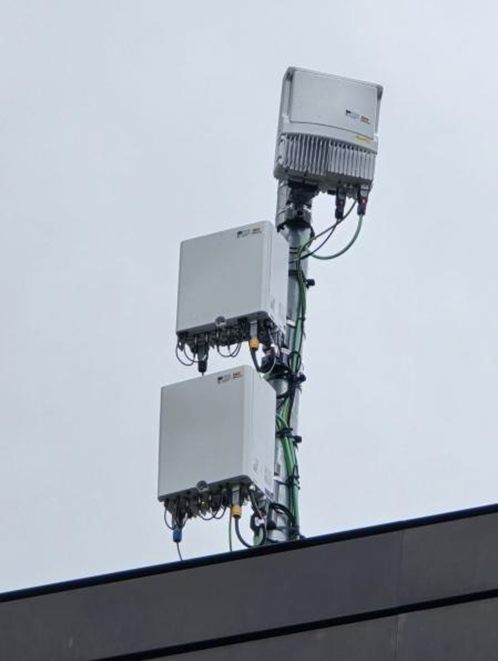
The Outdoor 5G template will support field experiments using commercial gNBs and UEs connected to Plaza6G. Features include:
- MEC nodes for edge computing
- API-based scheduling for outdoor trials
- Integration with live mobility scenarios
5 Choosing the Right Template
| Scenario | Recommended Template | Environment |
|---|---|---|
| Protocol testing | Simulated 5G | Virtual |
| Realistic link behavior | In-Lab 5G | Hybrid |
| Field studies | Outdoor 5G | Physical (Roadmap) |
6 Best Practices
- Start with Simulated 5G for initial development.
- Use In-Lab 5G for performance and UE-based testing.
- Attach KPI scripts for custom metrics.
- Name experiments clearly for better tracking.
Summary for Users
- Plaza6G supports Simulated 5G and In-Lab 5G templates.
- Each template works with Open5GS, Free5GC, or OAI.
- Simulated 5G uses UERANSIM for virtual testing.
- In-Lab 5G uses real Amarisoft gNB and Samsung S24 UE.
- Outdoor 5G will support field trials soon.
Example Q&A
Q: What templates are available in Plaza6G?
A: Simulated 5G and In-Lab 5G are available, while Outdoor 5G is a roadmap feature.
Q: Which 5G Core implementations can I select?
A: Open5GS, Free5GC, and OAI are supported for both Simulated and In-Lab templates.
Q: What hardware is used in the In-Lab 5G setup?
A: The setup includes an Amarisoft Callbox gNB and a Samsung S24 UE placed in isolated RF chambers.
Q: How can I generate performance metrics?
A: Use iperf3 or attach experimental scripts to generate KPIs like throughput and latency.
Q: Is Outdoor 5G supported?
A: Outdoor 5G is planned and will enable real-world field experiments.